



20Bet Casino App: iOS & Android Betting
20Bet Mobile App
This is the kind of app you don’t hesitate to install. With 20Bet, both the sportsbook and the casino sit side by side, so there’s no need to manage two different downloads or create extra accounts. One tap and you’re in.
The application has the same desktop features, although it was designed for a mobile device, these features are adapted for smaller screens. Streamlined navigation, collapsing menus and mobile-adjustable odds and game lobbies help users. It supports everything from pre-match football markets to a live roulette game without lag, allowing users to multitask without disorderly spacing of elements.
The app covers every sporting passion since it provides a complete menu of activities, including football, basketball, tennis, hockey, esports, and specialty sports such as kabaddi and futsal. Live betting is central, with odds updating instantly and green/red flashes showing movement in real time. If streaming is available, you can watch within the same panel where your betslip sits — no switching between apps.
Casino players get equal treatment. Slots, live dealer games, jackpots, and instant games are all integrated. The layout is touch-friendly, with thumbnails that load quickly even on average connections. Loyalty rewards, bonuses, and cashback are available on mobile just as they are on desktop, so you don’t miss out if you prefer gaming on the go.
In short, the 20Bet app isn’t just a scaled-down version of the site. It’s a mobile-first tool built for players who want speed, reliability, and the freedom to bet or spin wherever they are.
How to Get the App
Downloading and installing the 20Bet app is straightforward, but the method depends on your device. If you use Apple, get it from the App Store. If you use Android, you might need to download the APK file from the web if it’s not in your local Google Play Store. No matter what, the setup is quick, just a few ticks. Once installed, the app acts like it’s built into your tech.
For iOS Users (iPhone & iPad)
Apple players have the simplest path:

- Open the App Store on your iPhone or iPad.
- Search for 20Bet and select the official app.
- Tap Get to install.
- Launch the app from your home screen.
- Log in with existing details or register a new account.
 Download the
IOS app
The iOS app is optimized for both iPhones and iPads, with features like Face ID or Touch ID for secure, instant logins.
For Android Users (Google Play & APK)
If the app is available in your region, it can be installed via Google Play:

- Open the Play Store.
- Search for 20Bet.
- Tap Install and wait for the download to finish.
- Launch the app and sign in.
If not listed, use the APK method:

- Go to 20bet.com on your phone browser.
- Download the APK from the official site.
- Enable “Allow from this source” in Settings > Security > Install Unknown Apps.
- Find the APK in Downloads and install it.
- Open the app, log in and you’re set.
 Download the
android app
Installation Notes
The 20Bet app doesn’t take much to run. You’ll need around 75–100 MB of free storage on your device and a reasonably stable internet connection. iOS and Google Play handle updates automatically, while the APK version requires a quick manual update through the site whenever a new release is available. It’s a lightweight app overall, so once installed, it functions like any other native app on your phone.
App Features & Benefits
A good mobile app is more than just a smaller version of the desktop site. It should feel natural on a phone, with tools that make betting and gaming smoother rather than harder. The 20Bet app does exactly that, blending speed, portability, and security in one package. Whether you’re betting on a Champions League match, spinning a slot, or tracking odds during a live tennis game, the experience remains consistent.

Portability and Convenience
The most obvious benefit is freedom. You don’t have to sit at a desk to place bets. With the app, you can check odds while commuting, cash out mid-match from the pub, or grab free spins while waiting in line for coffee. Everything — sportsbook, esports and casino — runs from the same login, so switching between products takes a couple of taps.
Live Betting & Casino Integration
Live betting is where the app feels strongest. Odds refresh instantly, and you can react to events as they unfold with Quick Bet. Streams (where available) appear directly next to your betslip, so you don’t have to juggle between tabs. Casino players aren’t left out — thousands of mobile-optimized slots, jackpots, and live dealer tables are available. The interface adapts to both portrait and landscape modes, so you can watch a roulette wheel spin or follow a blackjack hand without squinting.

Security and Payments
No app is complete without proper safety. The 20Bet app uses encryption for all transactions, and payments work just like on the desktop: Visa, Mastercard, e-wallets, and even cryptocurrencies. Verification steps are built into the mobile flow, so you can confirm your identity without using a computer. For many players, this is a big deal — deposits, withdrawals, and account checks all occur on the same device they use for everyday banking.
Exclusive Features
Some features make the app feel smarter than the mobile web version:
- Quick Bet: one-tap betting with a preset stake — crucial for in-play markets where odds move fast.
- Personal Dashboard: your most-used sports, games, or leagues show up first.
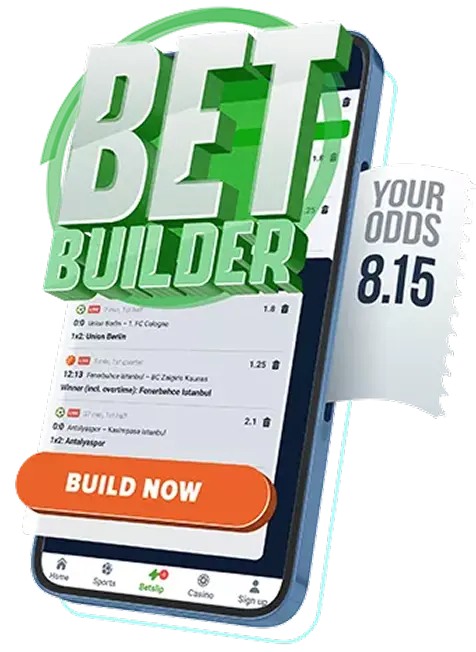
- Event Builder: create custom bets by combining multiple outcomes within a single match.
- Favorites & Alerts: mark teams or slots as favorites and get notified of odds boosts, kickoff times, or promo drops.
In short, the 20Bet app is efficient, stable and practical. It focuses on the things players actually need: speed, easy navigation, and full account functionality on mobile.


App Requirements & Compatible Devices
Even the best-designed app won’t help if your phone can’t run it properly. Luckily, the 20Bet mobile app is light enough to work on most modern devices, but there are still minimum requirements to consider.
iOS Devices
For Apple users, the app runs on iPhones and iPads with iOS 14.0 or later. This covers a wide range of models, from the iPhone X up to the latest releases. iPads, including the Air (4th Gen), Mini (5th Gen), and Pro models, also handle the app smoothly. With these specs, even older devices manage standard betting and slots without issue. Live dealer streams may push lower-end iPads, but overall performance remains stable.

Android Devices
On Android, you’ll need Android 10.0 (Q) or later. The app is optimized for popular brands like Samsung, Google Pixel, Xiaomi, Oppo, and OnePlus. It adjusts well to different screen sizes, from compact phones to large tablets. As with iOS, the app isn’t demanding — mid-range devices perform just fine, though higher-end phones give a smoother experience, especially when juggling live streams and multiple markets simultaneously.
Minimum Specs
For both platforms, here’s what you should have at the very least:
- Processor: Quad-core 1.8 GHz or faster
- RAM: 2 GB minimum (4 GB recommended)
- Storage: Around 500 MB free space (1 GB is safer for updates)
- Display: 720p minimum resolution; 1080p+ recommended for clear visuals
- Connection: 3 Mbps+ internet speed, ideally Wi-Fi for live streaming

Recommended Specs for Best Experience
- Processor: Octa-core 2.0 GHz or higher
- RAM: 4 GB or more for multitasking
- Storage: 1 GB free space to handle updates and new content
- Display: Full HD+ or better for sharper graphics, crucial for casino tables and HD streams
Mobile Web Version

Not everyone wants to download an app. Some players prefer to just open a browser, log in, and get straight to betting or playing. That’s why 20Bet Casino also offers a fully responsive mobile website. It gives you the same sportsbook and casino features without taking up space on your phone.
The mobile site feels almost identical to the app. The same dark mode, easy-to-read fonts, and quick-loading odds are there. Sports markets line up neatly, casino lobbies adapt to small screens, and even live betting looks clean with green/red flashes when odds shift. If your connection is decent, you can also watch live streams straight from the browser.
One upside of the web version is that you don’t need to worry about updates or storage. Just open Chrome, Safari, or any browser you like, and you’re in. The downside is you won’t get push alerts or one-tap quick bets. Still, it’s a solid choice if you don’t like cluttering your device with apps, if you’re testing the platform before committing, or if you’re using an older phone that struggles with downloads.
Join nowFAQ
Is The 20Bet App Free To Download?
Can I Use The App In Every Country?
Do I Get The Same Bonuses On Mobile As Desktop?
What Payment Methods Work In The App?
Will The App Slow Down My Phone?
How Do I Update The App?
What If The App Doesn’t Install?

Responsible Gaming
Betting can be enjoyable, but only if it remains under control. 20Bet provides players with tools to manage this, including deposit limits, time reminders and the option to take a break if necessary.
If you ever feel gambling is becoming more pressure than pleasure, step back. The site also connects you with independent support groups if you want to talk it through.
Remember, this isn’t a way to make money. It’s entertainment. Keep it in that lane, know your limits, and don’t push past them. Your well-being should always come first.
